Quarto Basics

Dr. Ajay Kumar Koli \(\cdot\) 2nd SARA Bootcamp

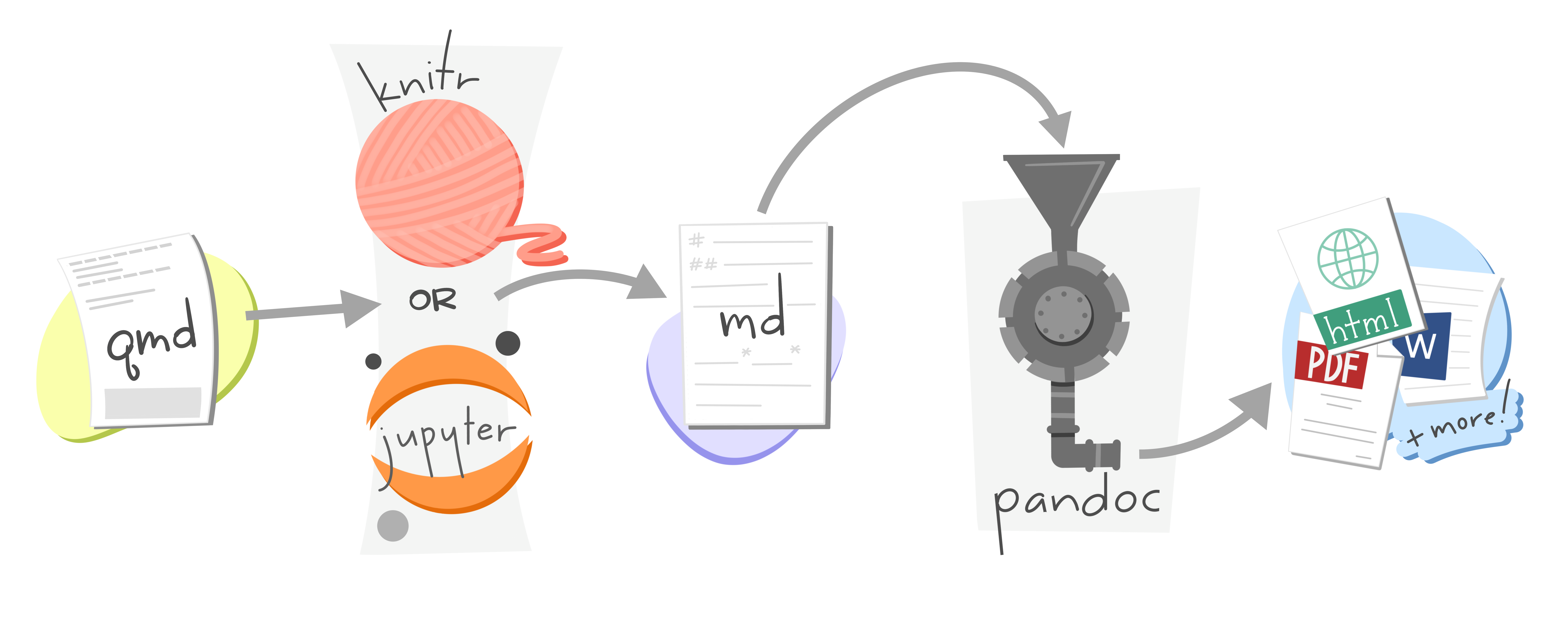
Quarto


“An open-source scientific and technical publishing system to prepare articles & reports; presentations; dashboards; websites; books; and interactive documents.

Quarto BTS
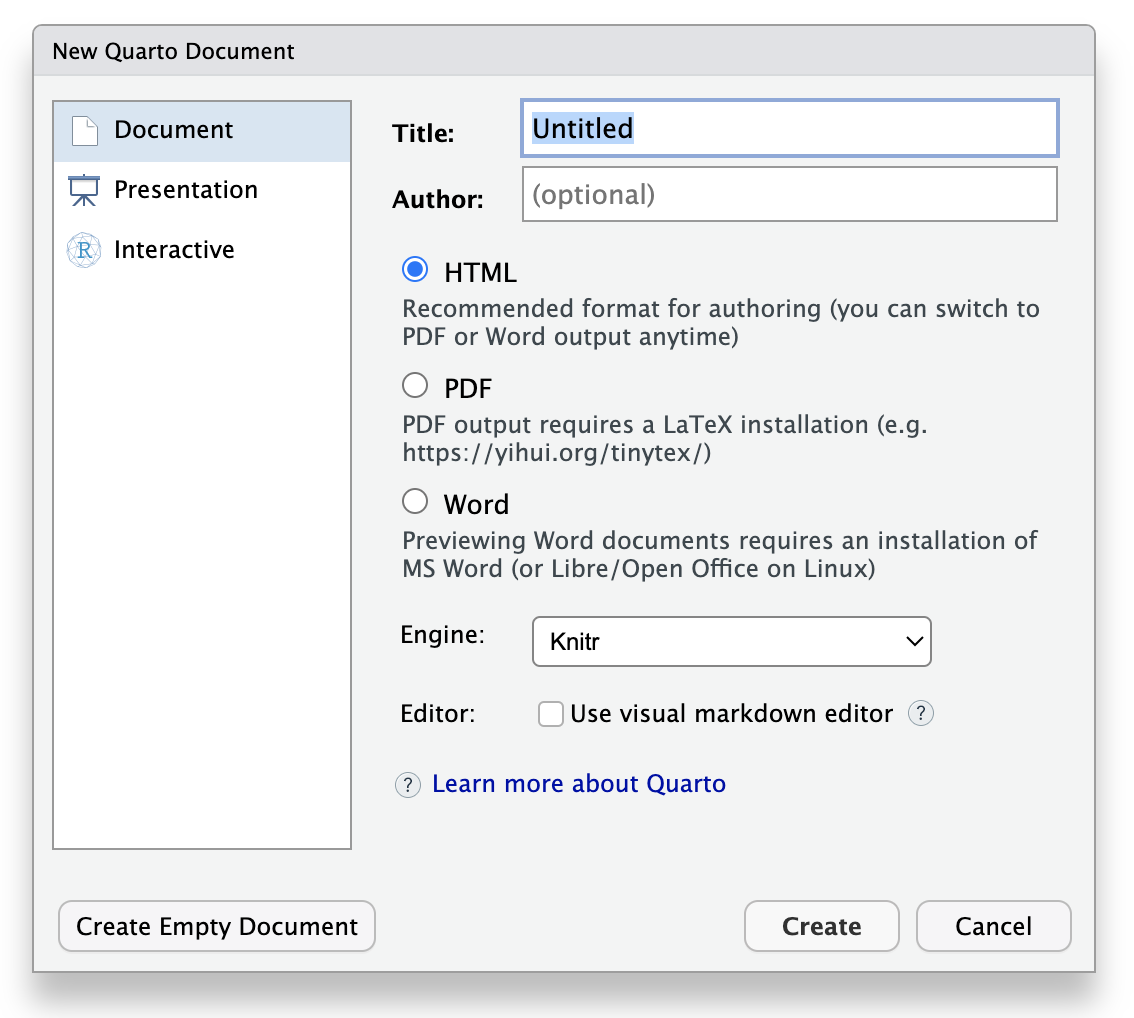
Create Quarto Document
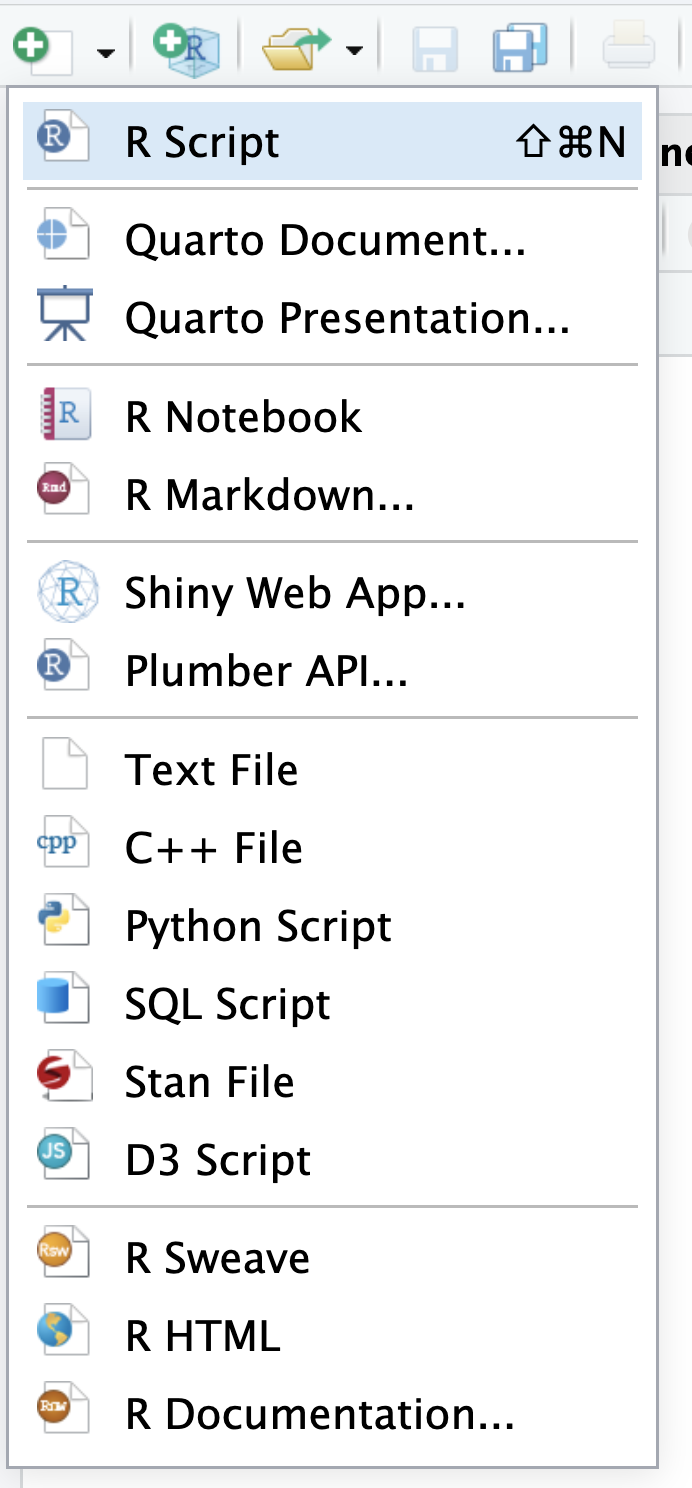
Step 1

Step 1

Step 2

Step 2

YAML

---
title: "Hello World"
subtitle: "2nd SARA Bootcamp 2026"
author: "Dr. Ajay Kumar Koli"
date: today
format: html
---

Markdown Syntax

---
title: "Hello World"
subtitle: "2nd SARA Bootcamp 2026"
author: "Dr. Ajay Kumar Koli"
date: today
format: html
---

## First Time Coding

- Relax

- Patience

## Having Fun

This is *just* the beginning. 
It will be **awesome** at the end. 
Learn more from this link <https://quarto.org/docs/reference/formats/html.html>.

## Add Image

![](images/intro/mission.jpg)

Code Blocks

---
title: "ggplot2 demo"
author: "Norah Jones"
date: "5/22/2021"
format: 
  html:
    code-fold: true
---

## Air Quality

@fig-airquality further explores the impact of temperature on ozone level.

```{r}
#| label: fig-airquality
#| fig-cap: "Temperature and ozone level."
#| warning: false

library(ggplot2)

ggplot(airquality, aes(Temp, Ozone)) + 
  geom_point() + 
  geom_smooth(method = "loess")
```

Inline Code

---
title: "Inline Coding"
date: "3/14/2026"
format: html
---

```{r}
marks <- c(2, 4, 6, 8)
```

The sum of the marks is `{r} sum(marks)`. 

The mean of the marks is `{r} mean(marks)`. 

Quarto Output Formats

---
title: "My document"
format:
  html:
    toc: true
    html-math-method: katex
    css: styles.css
---
---
title: "My document"
format:
  pdf:
    toc: true
    number-sections: true
    colorlinks: true
---
---
title: "My Document"
format:
  docx:
    toc: true
    number-sections: true
    highlight-style: github
---


Caution

Not all YAML options are supported across every output format.

🤯 Your Turn